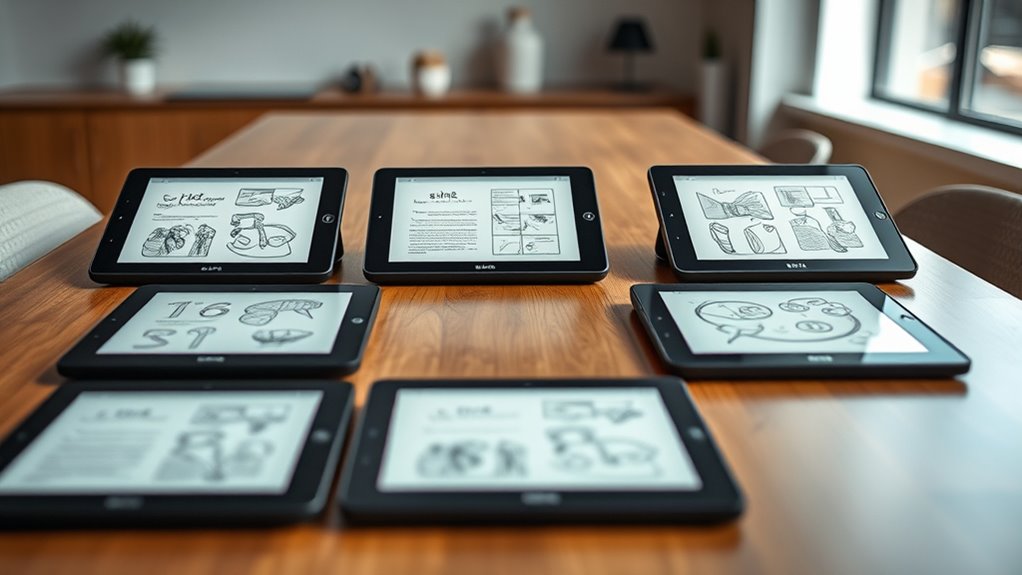

Choosing the right premium e-ink tablets for note taking requires balancing screen size, latency, and ecosystem compatibility. The reMarkable Paper Pro stands out as the best overall choice for professionals who demand near-zero latency and a distraction-free interface. For those prioritizing color accuracy and app flexibility, the BOOX Note Air 5 C offers a versatile Android-based experience that rivals traditional tablets. Meanwhile, the Kindle Scribe remains a strong contender for readers who want seamless integration with their existing library. This comparison breaks down the critical tradeoffs between closed ecosystems and open platforms to help you decide which device fits your workflow.

Turn your wind-down time into listening time
- Thousands of audiobooks, podcasts and originals
- Listen on your phone, tablet or Echo — also offline
- Cancel anytime
Key Takeaways
- Color e-ink technology has matured enough to support sketching and highlighting without the heavy ghosting found in earlier generations.
- Open Android systems like BOOX offer app versatility but often sacrifice the polished, low-latency writing experience found in dedicated devices like reMarkable.
- Screen size is the primary differentiator; 10-inch models are ideal for split-screen note-taking, while 7-inch models prioritize portability over writing space.
- Battery life varies drastically based on usage; devices with front lights and color filters consume power faster than monochrome, backlit-free models.
- Ecosystem lock-in is a significant factor; buying a Kindle Scribe ties notes to Amazon, whereas reMarkable and BOOX offer more flexible export options.
| Like-New Amazon Kindle Scribe (32GB) with Premium Pen |  | Best for Reading Alongside Notes | Display: 10.2-inch glare-free, 300 ppi front-lit display | Storage: 32 GB | Weight: 15.3 oz (device only) | VIEW ON AMAZON | See Our Full Breakdown |
| BOOX Note Air 5 C 10.3″ E Ink Tablet with 6GB RAM & 64GB Storage |  | Best for Color Notes and App Flexibility | Screen: 10.3-inch Kaleido 3 color E Ink | Resolution: 2480 x 1860 at 300 ppi (black and white); 1240 x 930 at 150 ppi (color) | Processor and memory: Octa-core CPU, 6 GB RAM | VIEW ON AMAZON | See Our Full Breakdown |
| VIWOODS AiPaper 10.65″ AI E Ink Tablet, Digital Notebook Bundle with Pen |  | Best for AI-Assisted Document Work | Display: 10.65-inch Carta 1300 E Ink | Resolution: 2560 x 1920 | Storage: 128 GB | VIEW ON AMAZON | See Our Full Breakdown |
| reMarkable Paper Pure with Marker Plus and Desert Pink Sleeve Folio |  | Best for Distraction-Free Handwriting | Screen: 10.3-inch black-and-white E Ink | Ink response: 21 ms | Weight: 360 g | VIEW ON AMAZON | See Our Full Breakdown |
| reMarkable Paper Pro with Marker Plus |  | Best Premium Color Writing Surface | Display: 11.8-inch color E Ink | Reading light: Adjustable | Connectivity: USB Type-C, Wi-Fi, Bluetooth | VIEW ON AMAZON | See Our Full Breakdown |
| Kindle Scribe 64GB (newest model) |  | Best for Hybrid Readers | Display: 11″ Paperwhite, 300 ppi, 16-level grayscale | Storage: 64 GB (52 GB available) | Weight: 400 g (14.1 oz) | VIEW ON AMAZON | See Our Full Breakdown |
| premium eink tablets for note taking | Connectivity | Display | Storage | Weight |
|---|---|---|---|---|
| Like-New Amazon Kindle Scribe | Wi-Fi 5, Bluetooth 5.2 | 10.2-inch glare-free, 300 ppi front-lit display | 32 GB | 15.3 oz (device only) |
| BOOX Note Air 5 C 10.3" E Ink | Wi-Fi, Bluetooth 5.1 | — | 64 GB internal, with microSD slot | 430 g (15.2 oz) |
| VIWOODS AiPaper 10.65" AI E In | — | 10.65-inch Carta 1300 E Ink | 128 GB | — |
| reMarkable Paper Pure with Mar | Wi-Fi | — | — | 360 g |
| reMarkable Paper Pro with Mark | USB Type-C, Wi-Fi, Bluetooth | 11.8-inch color E Ink | — | — |
| Kindle Scribe 64GB | Wi-Fi 2.4 GHz & 5 GHz | 11" Paperwhite, 300 ppi, 16-level grayscale | 64 GB (52 GB available) | 400 g (14.1 oz) |
More Details on Our Top Picks
Like-New Amazon Kindle Scribe (32GB) with Premium Pen
The Kindle Scribe makes the most sense for readers who want a notebook that also handles long reading sessions well. Its 10.2-inch, 300 ppi glare-free display keeps text crisp, while the included Premium Pen supports writing and document markup without adding another accessory purchase. AI tools for summarizing notes and converting handwriting can help when you need to revisit what you wrote. Compared with the Android-based BOOX Note Air 5 C, the Scribe is a more focused reading-and-writing device rather than a flexible app platform; it also lacks the BOOX’s color screen. The tradeoff here is the like-new refurbished condition, which may mean generic packaging, and there is no cellular option. Choose it for a straightforward reading notebook, not for broad app access or color-coded notes.
Pros:- 300 ppi glare-free display supports crisp reading and handwriting
- Premium Pen and replacement tips are included
- Note summarization and handwriting conversion add useful review tools
- Long stated battery life supports extended reading and writing between charges
Cons:- Refurbished condition may come with generic packaging
- Wi-Fi only, with no cellular option
- Battery life varies with how the device is used
Best for: Readers who want a high-resolution e-reader with a pen for handwritten notes and document annotation
Not ideal for: Buyers who need color notes, cellular connectivity, or Android app flexibility
- Display:10.2-inch glare-free, 300 ppi front-lit display
- Storage:32 GB
- Weight:15.3 oz (device only)
- Dimensions:7.7 x 9.0 x 0.22 inches
- Connectivity:Wi-Fi 5, Bluetooth 5.2
- Battery life:Up to 12 weeks for reading; up to 3 weeks for writing
- Included accessories:Premium Pen, USB-C cable, replacement tips
- Warranty:1-year limited warranty
Our verdict“Choose the Kindle Scribe if reading is as important as note-taking and you prefer a focused, high-resolution device over the BOOX Note Air 5 C’s color and app flexibility.”
BOOX Note Air 5 C 10.3″ E Ink Tablet with 6GB RAM & 64GB Storage
The BOOX Note Air 5 C is the most versatile choice here for people whose notes include charts, marked-up color documents, or sketches. Its Kaleido 3 display shows color, and Android 15 gives it access to a wider range of apps than the focused reMarkable models or Kindle Scribe. The stylus has 4,096 pressure levels, while warm and cold front-light settings support different reading conditions. Compared with the reMarkable Paper Pro, the BOOX offers a more open app environment; compared with the monochrome Kindle Scribe, it adds color at the expense of a lower-resolution color mode. E Ink refresh is also slower than on conventional tablets, so app interactions and multimedia will feel less immediate. Pick it for flexible work, not fast-paced screen use.
Pros:- Kaleido 3 color display supports color-coded notes and document markup
- Android 15 provides access to a broad range of apps and services
- Stylus supports 4,096 pressure levels for detailed handwriting and drawing
- Warm and cold front-light settings suit varied reading environments
Cons:- Color resolution is 150 ppi, below the 300 ppi black-and-white mode
- E Ink refresh can make app interactions feel slow
- Color and brightness are more limited than on LCD or OLED tablets
Best for: Researchers and professionals who annotate color PDFs, sketch, and want Android apps on an E Ink tablet
Not ideal for: People who expect smooth video, fast app animations, or bright and vivid color like a conventional tablet
- Screen:10.3-inch Kaleido 3 color E Ink
- Resolution:2480 x 1860 at 300 ppi (black and white); 1240 x 930 at 150 ppi (color)
- Processor and memory:Octa-core CPU, 6 GB RAM
- Storage:64 GB internal, with microSD slot
- Operating system:Android 15
- Stylus:4,096 pressure levels
- Connectivity:Wi-Fi, Bluetooth 5.1
- Weight:430 g (15.2 oz)
- Battery:3,700 mAh Li-ion polymer
Our verdict“Choose the BOOX Note Air 5 C if color annotation and app choice matter more than the simpler reading focus of the Kindle Scribe or reMarkable Paper Pure.”
VIWOODS AiPaper 10.65″ AI E Ink Tablet, Digital Notebook Bundle with Pen
The VIWOODS AiPaper stands out for buyers who want note-taking tools aimed at working through documents, not just capturing handwritten pages. Its Carta 1300 display and 10.65-inch area suit extended reading and annotation, while the included W2 Stylus Pro has 4,096 pressure levels. Translation, summarization, PDF annotation, and handwriting-to-text conversion offer a document-centered toolkit that differs from the more reading-focused Kindle Scribe. It also comes with 128 GB of storage and a folio, giving it more included capacity and protection than the supplied details list for the reMarkable Paper Pure. The main compromise is familiar to E Ink: refresh latency can interrupt interactive tasks. Product information also gives less detail about its operating system and connectivity than the BOOX Note Air 5 C, so buyers seeking broad app flexibility should compare carefully.
Pros:- Carta 1300 display is suited to long reading and handwriting sessions
- AI tools cover PDF annotation, translation, summarization, and handwriting conversion
- 128 GB storage provides room for a substantial document library
- Bundle includes a folio, stylus, replacement nibs, and USB-C cable
Cons:- E Ink refresh latency can slow interactive tasks
- Provided product details do not specify operating system or connectivity
- Color display support is not listed, limiting its appeal for color-coded work
Best for: Students and document-heavy professionals who want AI-assisted PDF annotation, translation, and handwriting conversion
Not ideal for: Buyers who need confirmed broad app support, fast interactive performance, or detailed connectivity specifications before purchase
- Display:10.65-inch Carta 1300 E Ink
- Resolution:2560 x 1920
- Storage:128 GB
- Stylus:W2 Stylus Pro with 4,096 pressure levels
- AI tools:PDF annotation, translation, summarization, and handwriting-to-text conversion
- Included items:Protective folio cover, replacement pen nibs, USB-C charging cable
- Warranty:14 months
Our verdict“Choose the AiPaper for document-focused AI tools and generous storage, but favor the BOOX Note Air 5 C if confirmed Android app access and color matter more.”
reMarkable Paper Pure with Marker Plus and Desert Pink Sleeve Folio
The reMarkable Paper Pure puts the emphasis on handwriting: its black-and-white E Ink screen and stated 21 ms digital ink response are aimed at making notes feel immediate, without the app breadth of the BOOX Note Air 5 C. Handwriting conversion, tags, folders, and cloud connections to services including Google Drive and Dropbox support a workflow built around capturing and organizing ideas. The included Marker Plus and desert pink sleeve folio make this package distinct from the reMarkable Paper Pro, which adds color and a larger 11.8-inch screen. That contrast is also the central tradeoff: the Paper Pure is monochrome, so color markup is off the table, and the full feature set requires a Connect subscription. Choose it for a focused writing surface, not as a general-purpose tablet.
Pros:- Stated 21 ms ink response is geared toward responsive handwriting
- High-contrast monochrome screen suits writing and document markup
- Handwriting conversion plus tags and folders help organize notes
- Marker Plus and sleeve folio are included
Cons:- Black-and-white display cannot show color annotations
- Full feature set requires a Connect subscription
- Wi-Fi is the only listed connectivity technology
Best for: Writers and meeting-heavy professionals who want a focused monochrome notebook with cloud-based document workflows
Not ideal for: People who rely on color-coded annotations, want Android apps, or do not want subscription-dependent features
- Screen:10.3-inch black-and-white E Ink
- Ink response:21 ms
- Weight:360 g
- Connectivity:Wi-Fi
- Included accessories:Marker Plus, desert pink sleeve folio
- Note tools:Handwriting-to-text conversion, tags, and folders
- Cloud integrations:Google Drive, Dropbox, Slack, and other services
- Warranty:1-year limited warranty
Our verdict“Choose the Paper Pure if you value a focused handwriting workflow over color, while the Paper Pro is the better fit for larger color notes.”
reMarkable Paper Pro with Marker Plus
The reMarkable Paper Pro is the standout pick for buyers who want a larger color canvas but still want a device centered on writing, sketching, and reading. Its 11.8-inch color E Ink display gives diagrams and color-coded notes more room than the 10.3-inch monochrome Paper Pure, while the adjustable reading light supports use across different lighting conditions. Marker Plus is included, along with spare tips, so the core writing setup is ready in the box. Compared with the more open BOOX Note Air 5 C, the Paper Pro is described as a focused note-taking device rather than a full app platform; its appeal is the writing surface, not multimedia or general tablet use. Product details do not specify weight, and buyers should expect to use the designated Marker for the intended experience.
Pros:- 11.8-inch color E Ink display provides more working room than the Paper Pure
- Adjustable reading light supports use in changing lighting
- Marker Plus and six spare Marker tips are included
- Designed for writing, sketching, reading, and handwriting conversion
Cons:- Limited to note-taking and reading rather than broad tablet app use
- Weight is not specified in the supplied product details
- Requires a compatible Marker for the intended writing experience
Best for: Professionals and sketchers who want a larger color E Ink surface for handwritten notes, diagrams, and document work
Not ideal for: People who want broad app support, fast multimedia performance, or a clearly specified lightweight device
- Display:11.8-inch color E Ink
- Reading light:Adjustable
- Connectivity:USB Type-C, Wi-Fi, Bluetooth
- Included components:reMarkable Paper Pro, Marker Plus, six spare Marker tips, USB-C cable
- Model year:2024
- Warranty:1-year limited warranty
Our verdict“Choose the Paper Pro if a larger color writing surface matters more than the BOOX Note Air 5 C’s Android app flexibility.”
Kindle Scribe 64GB (newest model)
This model stands out as the strongest choice for users who want to blend extensive reading with serious note-taking in one ecosystem. Unlike the reMarkable Paper Pro, which prioritizes pure annotation, the Kindle Scribe integrates directly with the Kindle library, allowing you to highlight books and export notes seamlessly. The 11-inch Paperwhite display offers a textured surface that mimics paper friction, reducing hand fatigue during long sessions. However, the 64GB storage limit is a real constraint if you handle large academic PDFs or high-resolution scans, where the BOOX Note Air 5 C might offer more flexibility for file management. While it lacks the open Android freedom of competitors, its closed system ensures stability and speed for its specific purpose. This is ideal for those already invested in Amazon’s ecosystem who value battery life over app versatility.Pros:- Seamless integration with Kindle books for highlighting and note export
- Exceptional battery life lasting weeks on a single charge
- Textured screen provides a natural paper-like writing feel
- Premium pen includes eraser and shortcut buttons without needing a charge
Cons:- 64GB storage fills up quickly with large PDFs and images
- Closed software ecosystem limits app compatibility and file flexibility
- No cellular connectivity option for on-the-go syncing
Best for: Avid readers who want to annotate books and take notes within the same Amazon Kindle ecosystem without switching devices.
Not ideal for: Users who need to run third-party Android apps or manage complex, multi-format file systems outside the Kindle store.
- Display:11″ Paperwhite, 300 ppi, 16-level grayscale
- Storage:64 GB (52 GB available)
- Weight:400 g (14.1 oz)
- Battery Life:Up to 12 weeks reading / 3 weeks writing
- Pen:Premium pen with eraser, no charging required
- Connectivity:Wi-Fi 2.4 GHz & 5 GHz
- Dimensions:189 x 245 x 5.4 mm
Our verdict“This is the best premium e-ink tablet for readers who want a reliable, distraction-free device for both books and handwritten notes.”

How We Picked
I evaluated these devices based on three core pillars: writing latency, ergonomic design, and workflow integration. Writing latency was the most critical metric, as even milliseconds of delay can disrupt the cognitive flow of note-taking. I prioritized tablets that offer a paper-like friction, which is essential for legible handwriting without requiring excessive pressure. Ergonomic design was assessed by looking at weight distribution, thickness, and the quality of the included stylus. A heavy tablet causes fatigue during long sessions, while a poorly balanced pen leads to shaky lines.
Finally, I analyzed workflow integration, examining how easily notes transfer to other platforms. Devices that lock users into proprietary formats or require specific cloud services were penalized if they lacked robust export features. The ranking reflects a hierarchy of utility: devices that excel at the primary task of note-taking without compromising on build quality or battery efficiency were placed higher than those offering mediocre all-around performance.
| premium eink tablets for note taking | Connectivity |
|---|---|
| Like-New Amazon Kindle Scribe | Wi-Fi 5, Bluetooth 5.2 |
| BOOX Note Air 5 C 10.3" E Ink | Wi-Fi, Bluetooth 5.1 |
| VIWOODS AiPaper 10.65" AI E In | — |
| reMarkable Paper Pure with Mar | Wi-Fi |
| reMarkable Paper Pro with Mark | USB Type-C, Wi-Fi, Bluetooth |
| Kindle Scribe 64GB | Wi-Fi 2.4 GHz & 5 GHz |
Factors to Consider When Choosing Premium Eink Tablets For Note Taking
Selecting a premium e-ink tablet is not just about picking the most expensive option; it is about matching the hardware to your specific cognitive and professional needs. Here are the key factors that should drive your decision.Latency and Writing Feel
The most common mistake buyers make is focusing on resolution rather than latency. High resolution makes text crisp, but if the ink does not appear instantly under the pen tip, the writing experience feels disconnected and frustrating. Premium devices now achieve latencies under 20ms, which is imperceptible to most users. You should also consider the screen texture; some devices use a matte finish that mimics paper, providing necessary friction for control, while others are too slippery, requiring additional grip accessories.
Ecosystem Lock-In vs. Open Flexibility
Dedicated note-taking tablets often run closed operating systems to maximize battery life and performance. The reMarkable ecosystem, for example, is streamlined but limited in third-party app support. In contrast, Android-based e-ink tablets like BOOX allow you to install PDF readers, cloud storage apps, and even web browsers. If your workflow relies on specific tools like Notion or OneNote, an open system is preferable, despite the potential for slower performance and shorter battery life.
Screen Size and Portability Tradeoffs
There is a direct correlation between screen size and usability for different types of notes. A 7-inch screen is portable but cramped for complex diagrams or side-by-side comparison of documents. Conversely, an 11-inch or 13-inch screen offers ample space for handwritten margins and split-screen multitasking but becomes heavy and less pocketable. Assess your primary use case: if you annotate large PDFs or A4 documents, you need at least a 10.3-inch display to avoid constant zooming and panning.
Stylus Technology and Replacement Costs
Not all styluses are created equal. Some use active EMR technology that requires no charging, while others use Bluetooth or require battery replacement. Pay attention to pen tip wear; paper-like screens consume nibs faster than glass screens. Premium tablets often include a high-quality pen, but replacement tips can be expensive or hard to source. Check if the device supports third-party styluses, as this can save money and reduce dependency on the manufacturer’s proprietary accessories.
Color E-Ink Practicality
Color e-ink has advanced, but it still differs vastly from LCD or OLED screens. Kaleido 3 technology, found in newer premium models, offers reasonable color for highlighting and simple sketches but suffers from lower brightness and visible grid patterns. If your notes rely heavily on color coding, ensure the device’s color saturation meets your standards. For text-heavy notes, monochrome remains superior in terms of contrast, battery life, and reading comfort, making it a better choice for pure scribes.
Frequently Asked Questions
Is it worth paying extra for a color e-ink tablet for note taking?
Paying for color e-ink is only worthwhile if your workflow specifically requires visual distinction through color coding, such as highlighting legal documents or sketching simple diagrams. For pure text-based note taking, monochrome screens offer higher contrast, better battery life, and less visual distraction. Color screens also tend to have a lower refresh rate and can appear darker due to the color filter layer, which may strain eyes during long reading sessions. If you do not actively use color in your notes, you are better off investing in a larger monochrome screen or a higher-quality stylus.
How does the writing experience on e-ink compare to an iPad with a Paperlike screen protector?
The writing experience on a dedicated e-ink tablet is fundamentally different because the pixels are physically moved rather than illuminated. This results in zero blue light and a glare-free surface that remains legible in bright sunlight, unlike an iPad which requires backlighting. While an iPad with a screen protector can mimic the friction of paper, it still suffers from glass reflections and battery drain. E-ink tablets offer a more authentic ‘pen on paper’ feel with significantly longer battery life, making them superior for long-form writing and reading-focused tasks.
Can I use these premium e-ink tablets for PDF annotation effectively?
Most premium e-ink tablets handle PDF annotation well, but performance depends on file size and complexity. Devices with more RAM and faster processors, like the BOOX Note Air 5 C, handle large, image-heavy PDFs more smoothly than simpler devices. You should also check if the tablet supports reflowable text or only static images; reflowable text is easier to read on smaller screens. For professional use, ensure the device supports layer management and precise stylus input, as some budget-friendly e-ink tablets struggle with complex vector graphics and zooming latency.
Do I need a physical keyboard for a premium e-ink tablet?
A physical keyboard is not necessary for note taking if you prefer handwriting, but it becomes valuable if you frequently convert handwritten notes to text or edit digital documents. Many premium tablets support Bluetooth keyboards, allowing you to switch between handwriting and typing modes. However, carrying an additional peripheral reduces the portability advantage of the tablet. If your workflow is primarily visual or handwritten, you can skip the keyboard; if you produce long-form written content, a foldable Bluetooth keyboard is a worthwhile investment to pair with your device.
How long do e-ink screens last before degrading?
E-ink screens are highly durable and do not suffer from burn-in or pixel degradation like OLED displays. The primary failure point is usually the touch layer or the backlight unit, not the e-ink film itself. With normal usage, an e-ink tablet can last for many years without noticeable decline in image quality. To prolong lifespan, avoid leaving the device in extreme temperatures and use a protective case to prevent physical damage to the screen surface, which is more susceptible to scratches than glass.
Conclusion
Choosing the right premium e-ink tablet depends on whether you value ecosystem simplicity or software flexibility. The reMarkable Paper Pro is the best overall choice for those who want a distraction-free, high-performance writing environment with minimal setup. For users who need color support and app versatility, the BOOX Note Air 5 C is the best premium option, despite its steeper learning curve. The Kindle Scribe serves as the best value for avid readers who want to integrate notes directly into their Amazon library. If you are new to e-ink technology and want a gentle introduction, the Like-New Kindle Scribe offers a reliable entry point. For pure, minimalist note taking without any digital distractions, the reMarkable Paper Pure remains the best choice for purists who prioritize battery life and simplicity above all else.
Fall Picks
fall essentials
As an affiliate, we earn on qualifying purchases.