
TL;DR
Mental health apps for anxiety can help you practice structured coping skills, track patterns, or connect with a therapist, but their evidence, privacy, and features vary widely. Check the specific app’s research, developer credentials, data practices, cost, and crisis guidance, and seek professional help if anxiety persists, worsens, or disrupts daily life.
Your phone may know when you last checked the weather, but should it hold your anxiety journal too? Mental health apps for anxiety can put breathing guides, CBT exercises, mood logs, or therapist access in your pocket. The catch is that an app’s soothing colors and confident wording don’t tell you whether its advice is supported or your entries stay private.

Turn your wind-down time into listening time
- Thousands of audiobooks, podcasts and originals
- Listen on your phone, tablet or Echo — also offline
- Cancel anytime
This guide explains what different apps offer, how to check evidence and privacy, and how to fit an app into your day without asking it to do a clinician’s job. For example, you might use a five-minute grounding exercise before a presentation, then bring a week of symptom notes to a health professional if anxiety keeps affecting sleep or work.
Apps may help some people practice coping skills, especially when they offer structured, evidence-informed exercises and a manageable routine. Results vary by person and program, so treat an app as a possible tool—not a diagnosis, guaranteed treatment, or emergency service.
Choose an app based on the help you want: CBT lessons, guided practice, tracking, or access to a therapist.
Look for evidence about the specific app; research on CBT or mindfulness alone does not prove that every app using those methods works.
Check what personal data the app collects, shares, stores, and lets you delete before adding journal entries or mood logs.
Try a manageable routine and stop or change an exercise if it makes you feel worse.
Seek professional help if anxiety persists, worsens, or interferes with daily life; contact local emergency or crisis services for immediate danger.
What Can an Anxiety App Actually Help You Do?
Mental health apps for anxiety can help you practice coping skills, notice patterns, and find support, depending on the features they offer. Some guide you through CBT-based lessons; others focus on meditation, breathing, symptom tracking, or connecting with a therapist. Their purpose matters: a relaxation timer and a therapy service do different jobs, so choosing the wrong kind can leave the need you started with unmet.
For instance, you may log a tight chest and racing thoughts after your weekly team meeting. A symptom tracker could help you spot that pattern, while a CBT exercise might invite you to write down the prediction behind the worry and examine the evidence. Seeing the pattern may help you prepare for the next meeting, but a log can show when a symptom occurred, not what caused it. The exercise can offer a new way to respond, but the app cannot determine the cause of chest symptoms or diagnose an anxiety disorder.
Some people find structured, repeated practice useful for mild or moderate symptoms. Repetition matters because coping skills often take practice before they feel familiar enough to use under stress. Still, benefits aren’t guaranteed, and a general wellness feature is not the same thing as a tested program. Check what the app asks you to do, who created its content, and whether studies examined that specific app rather than only the technique it uses. A study can help you judge whether a program has been evaluated, but it cannot guarantee the same results for every user.
A useful app gives you something clear to practice; it does not promise to explain everything you feel.
If worry keeps you from sleeping, working, studying, or spending time with people you care about, consider contacting a qualified health professional. You can use an app alongside care if it suits you, but treatment decisions belong in a conversation with a professional who understands your situation.
Products Worth Considering

LEVOIT Vital 200S-P Smart Air Purifier for Large Rooms up to 1875 sq ft

Levoit EverestAir-P Smart Air Purifier for Large Rooms
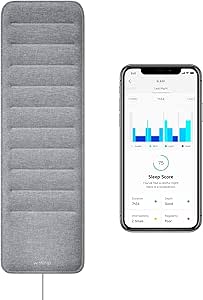
Withings Sleep Under-Mattress Sleep Tracking Pad
As an affiliate, we earn on qualifying purchases.
Pick the App Type That Fits the Help You Want
Mental health apps for anxiety fall into different groups, so start by naming what you want help with. A guided mindfulness app can lead a short breathing or attention exercise, while a CBT course typically teaches skills through a structured sequence. A journal tracks your own notes; a therapist-matching service aims to connect you with a person. The format affects what you can expect: a self-guided exercise can offer practice on demand, while contact with a therapist may allow you to discuss your circumstances and get a personal response.
Imagine you feel tense before a crowded train ride. A brief grounding exercise might give you a familiar routine for that moment. If you want to understand recurring worries, a structured course or a clinician may offer more relevant support than a library of unrelated meditations. If you need someone to respond to your personal concerns, a self-guided tool may not meet that need. Matching the format to the task can make it easier to keep using the app and reduce the chance you mistake a convenient feature for care it does not provide.
| App type | What it offers | Question to ask |
|---|---|---|
| CBT program | Lessons and exercises for working with thoughts and behaviors | Is this specific program studied? |
| Mindfulness or breathing | Guided practice, often in short sessions | Does the exercise feel manageable to me? |
| Symptom tracker | Mood or anxiety logs that may reveal patterns | Can I export or delete my entries? |
| Therapist connection | A path to communicate with a professional | Who provides care, and how quickly can I reach them? |
These categories can overlap, and an app may include several in one subscription. More features can be convenient, but they can also make it harder to tell which part is useful or what you are paying for. Compare the function you need with the time, cost, language options, accessibility features, and phone compatibility you can manage. A tool you can afford and use consistently may be more practical than a feature-rich one that does not fit your routine.
Check Evidence Before You Trust the Promises
Mental health apps for anxiety have different levels of research behind them, so look for evidence on the specific app and program. CBT-based programs have a stronger evidence base than many broad wellness features, but that does not mean every CBT-labeled app works equally well. A study of one program also cannot establish that another app with similar wording produces the same results. This distinction matters because an app’s label describes an approach, while app-specific evidence can tell you whether its actual lessons and delivery have been evaluated.
For example, an app store page might say “clinically tested” without telling you who took part, what outcomes researchers measured, or whether the study was independent. Look for a published study that names the app, describes the participants, and explains its limits. Then ask whether the people studied resemble you and whether the program’s format fits your needs. If a study measured a short-term change in self-reported anxiety, that finding may not answer whether the app helps people over time or in circumstances like yours.
Developer credentials add useful context. Check who wrote the exercises, whether qualified clinicians helped shape them, and whether the app explains its methods and limitations in plain language. Clinical involvement can support careful content design, but it does not substitute for research on outcomes. Claims like “clinically tested” or a polished app-store listing alone do not establish that a tool is effective or right for you.
Try this quick review when you find a promising program:
- Find the claim: What outcome does the app say it supports?
- Look for app-specific research: Does a study test this product or only CBT or mindfulness in general?
- Read the limits: Who participated, and what did the researchers say the study could not show?
- Check the boundaries: Does the app say that it cannot diagnose or handle an emergency?
Research and app policies change. Before subscribing, check current study results and product information rather than assuming an old review still applies. Evidence can inform a choice, but fit matters too: a well-studied program that feels unusable may be less helpful in practice than a manageable tool whose limits you understand.
Protect Your Journal, Mood Logs, and Personal Details
An anxiety app may collect sensitive information such as mood logs, journal entries, answers to screening questions, and usage data. Before you start typing, check what data the company gathers, where it says that data goes, and whether you can delete your account and information. A lock icon or a private-looking journal screen does not answer those questions on its own. These details matter because the more personal information you enter, the more important it is to understand who may be able to access or use it.
Suppose you record that you feel panicky before work and include your employer’s name in a journal entry. That note may feel like a conversation with yourself, yet the app’s privacy policy should explain its data practices, including any sharing with analytics providers or other third parties. The details vary by product, so read the policy for the app you actually plan to use. A policy that permits broad sharing may change the tradeoff: detailed notes could make tracking more useful to you, while also creating more information to manage or delete.
Look for a clear explanation of collection, sharing, storage, and deletion. Check whether you can use the core exercises without linking extra accounts or granting permissions you do not need. If the policy feels difficult to understand, limit what you enter until you know how the app handles it. You can still test a breathing guide or general exercise while withholding identifying details.
- Review whether the app collects location, contacts, or advertising data.
- Check how to close your account and request data deletion.
- Use a strong phone passcode and avoid writing unnecessary identifying details.
- Ask whether the app explains its data practices in a way you can follow.
Convenience can make honest tracking easier, but privacy choices matter more when you share intimate details. Consider what information you need to record to get value: a simple rating may reveal a pattern without the detail of a full journal entry. The right balance depends on your needs and comfort with the app’s data practices.
Build a Small Routine You Can Keep
A short, repeatable app routine can make practice easier to fit into your day, but more screen time does not automatically mean more benefit. Follow the program’s guidance and choose a pace that feels manageable. Repeating a small exercise can help you notice whether it is useful, while an ambitious schedule you cannot maintain may turn practice into another source of pressure. If an app asks for long daily sessions that you cannot sustain, a brief exercise you actually use may suit your life better.
For instance, you might try one five-minute grounding exercise after lunch for a week, then notice whether it felt useful, neutral, or frustrating. Keep the phone somewhere quiet, use headphones if nearby noise distracts you, and stop if a particular exercise makes you feel worse. You can switch tools or seek professional support rather than forcing yourself through a feature that does not fit. A short trial gives you a chance to judge how the exercise affects you without assuming that one session proves whether it will help over time.
These apps can help people learn coping skills through repetition, but progress is not always a smooth line. A tough day may still follow several calm sessions. Tracking can help you notice patterns, though daily ratings may also feel burdensome or draw too much attention to symptoms for some users. If logging makes you check for anxiety more often or feel discouraged by normal ups and downs, simplifying or stopping the tracking may be a better fit.
Use this simple check-in to guide your routine:
- Before: What do you want from this session—a pause, a skill, or a record of how you feel?
- During: Is the exercise clear and comfortable enough to continue?
- After: Did it help, make no difference, or leave you feeling worse?
A familiar breathing or grounding exercise may help some people during anxiety or panic. If symptoms are new, severe, medically concerning, or intensify with the exercise, seek advice from a qualified professional instead of relying on an app to explain them.
Know When to Bring in a Professional
A mental health app is a self-help tool or a path to services; it is not a substitute for professional assessment, emergency help, or personalized treatment. Consider contacting a qualified health professional when anxiety is persistent, gets worse, disrupts daily life, or does not improve with self-help. Those changes matter because they suggest the problem is affecting more than a passing moment, and a professional can help assess what is happening and discuss options suited to you. A clinician can help you discuss treatment options that fit your circumstances.
Picture a student who uses a calming audio before class but still misses lectures several times a week because of worry. The app might remain a useful small support, yet repeated absences signal a problem that deserves a conversation with a professional. In the same way, a busy parent can bring a symptom log to an appointment to help explain when anxiety appears, without treating that log as a diagnosis. The app may help organize what you want to share, while the professional can interpret it alongside your history and circumstances.
If you use an app while receiving care, you can ask your clinician whether its exercises fit your treatment plan. This is especially useful if an exercise increases distress or encourages advice that conflicts with your care. If the app connects you with a therapist, check who provides the service, what kind of support is included, and how to reach them. Conversational AI and tailored recommendations may feel responsive, but quality and safety vary; check how the tool handles sensitive disclosures and whether a clinician oversees it. A responsive interface is not the same as a person who can assess risk and take responsibility for care.
If you or someone else faces immediate danger or thoughts of self-harm, contact local emergency services or a crisis hotline now. Do not rely on an app’s automated responses as your emergency plan.
An app can help you prepare for a conversation by organizing questions or tracking what you notice. It cannot promise a diagnosis, decide whether medication is appropriate, or replace a professional’s judgment.
Frequently Asked Questions
Can an app actually help with anxiety?
Some people benefit from structured exercises, including CBT-based programs or mindfulness practice, but results vary by person and app. A short guided exercise may help you practice a skill; it cannot guarantee relief or replace professional assessment.
Are anxiety apps scientifically proven?
Some apps have been studied, while others have limited or no independent evidence. Look for research on the specific app and the people it was studied with, rather than assuming that evidence for CBT or mindfulness proves every app works.
Can an app replace therapy or medication?
An app may complement professional care, but it usually cannot take the place of personalized assessment or treatment. Discuss therapy or medication decisions with a qualified health professional who understands your circumstances.
Are my mood logs and journal entries private?
Not necessarily; data practices vary by app. Read the privacy policy to see what it collects, whether it shares data with third parties, and how you can delete your account and information.
What should I do if an app makes me feel worse?
Stop the exercise or try a different feature if it feels uncomfortable. If your symptoms intensify, persist, or interfere with daily life, contact a qualified health professional for support.
What if I am in crisis?
For immediate danger or thoughts of self-harm, contact local emergency services or a crisis hotline. An app’s automated response should not be your only source of help in an emergency.
Conclusion
Choose an app for a clear purpose, check its evidence and privacy practices, and give it a modest trial that fits your day. A guided exercise or useful pattern in your notes can be a helpful starting point, but persistent or worsening anxiety deserves support from a qualified professional.
Let your phone hold a practice session or a few useful notes—not the whole weight of your care. When the screen goes dark, you still have people and professional support to turn to.